Project created July 4. Restarted from scratch July 11. On the App Store August 9; version 1.3 shipped August 25. Launch wasn't the finish line — I went back to the courts to make the analysis more accurate and the consent paperwork clean, and in September the Android and HarmonyOS builds entered on-device testing.
“Not the most impressive thing I could build —
a useful one.”
I wrote that the day I came back from the city badminton training base. Before that trip I had nearly driven the project into the ground — see Frame 04 below.
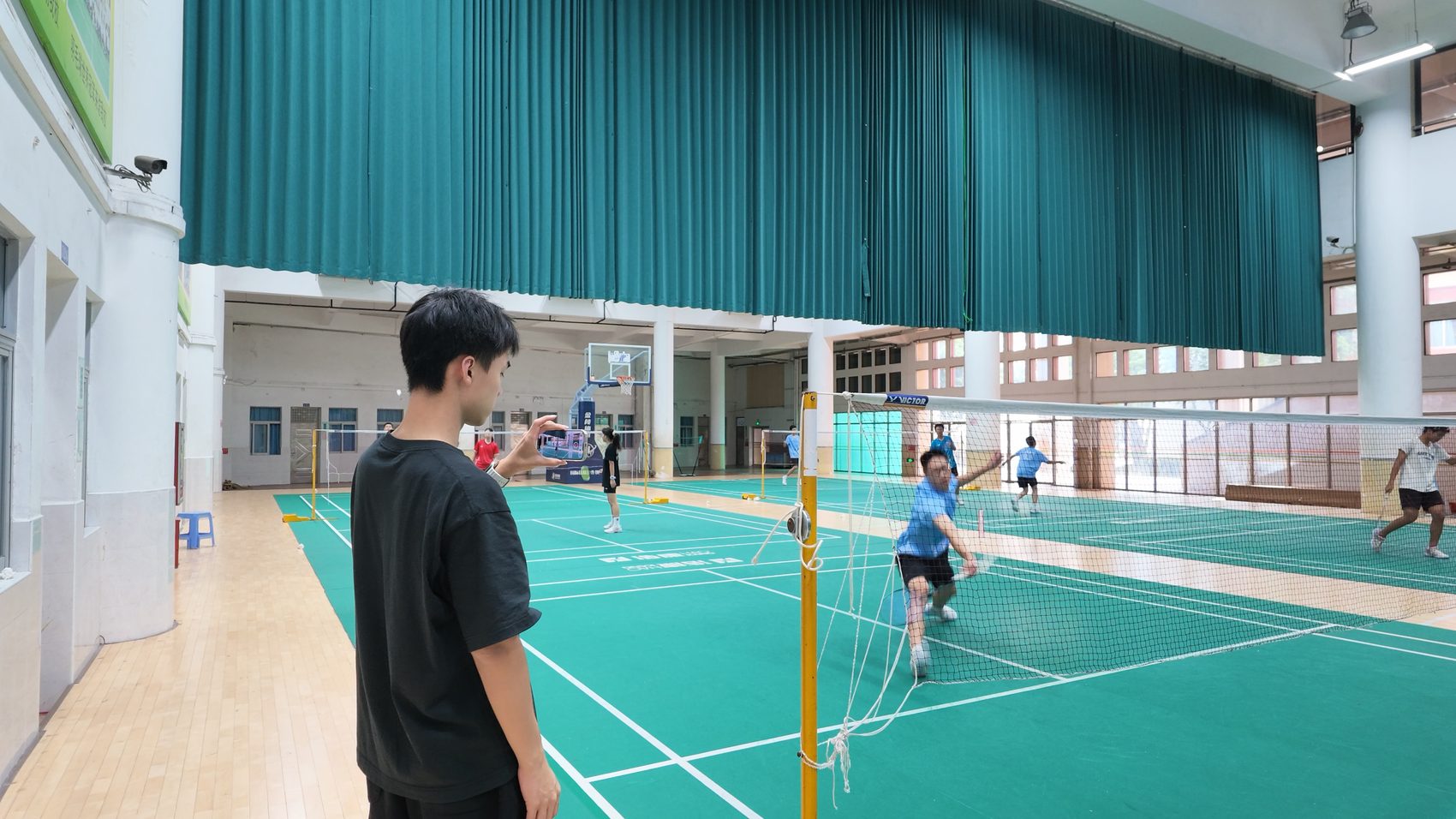
Amateur players have three real problems: they can't see their own stroke, can't tell what's wrong with it, and don't know what to practise next. MotionFrame links those three into one line — prop the phone courtside and it handles the rest.
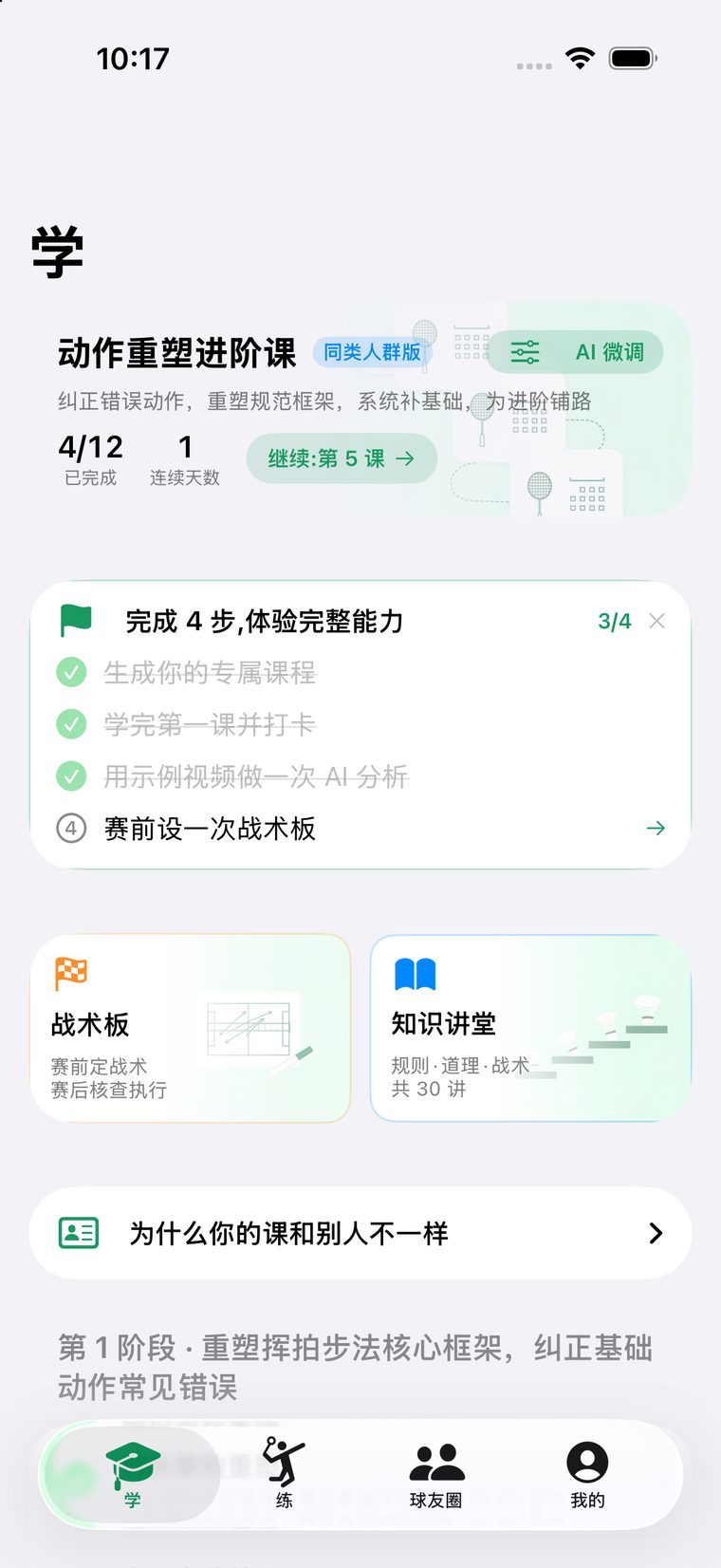
Not a generic tutorial. Gender, racket hand, height and weight, sessions per week — all of it changes the plan.


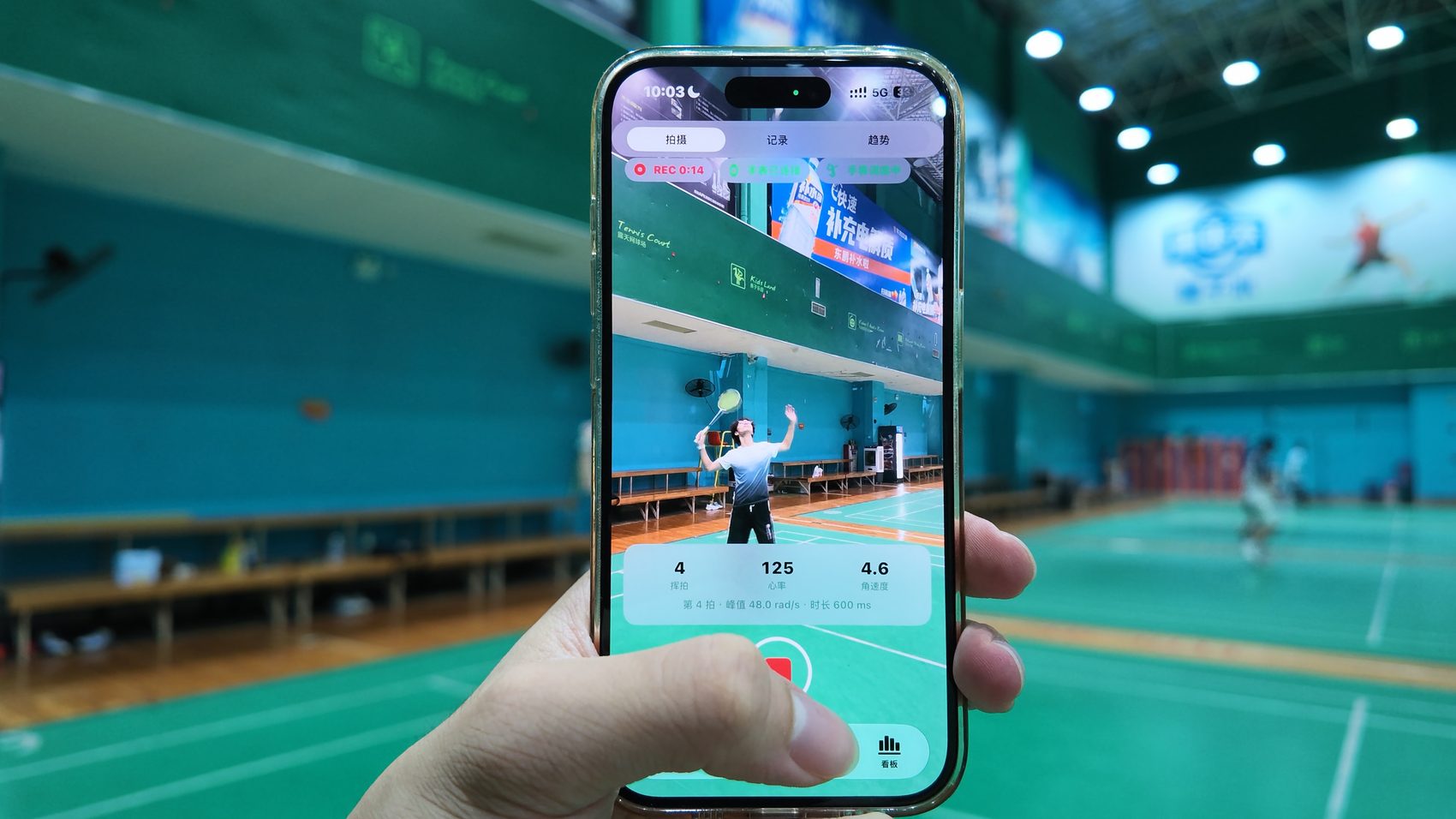
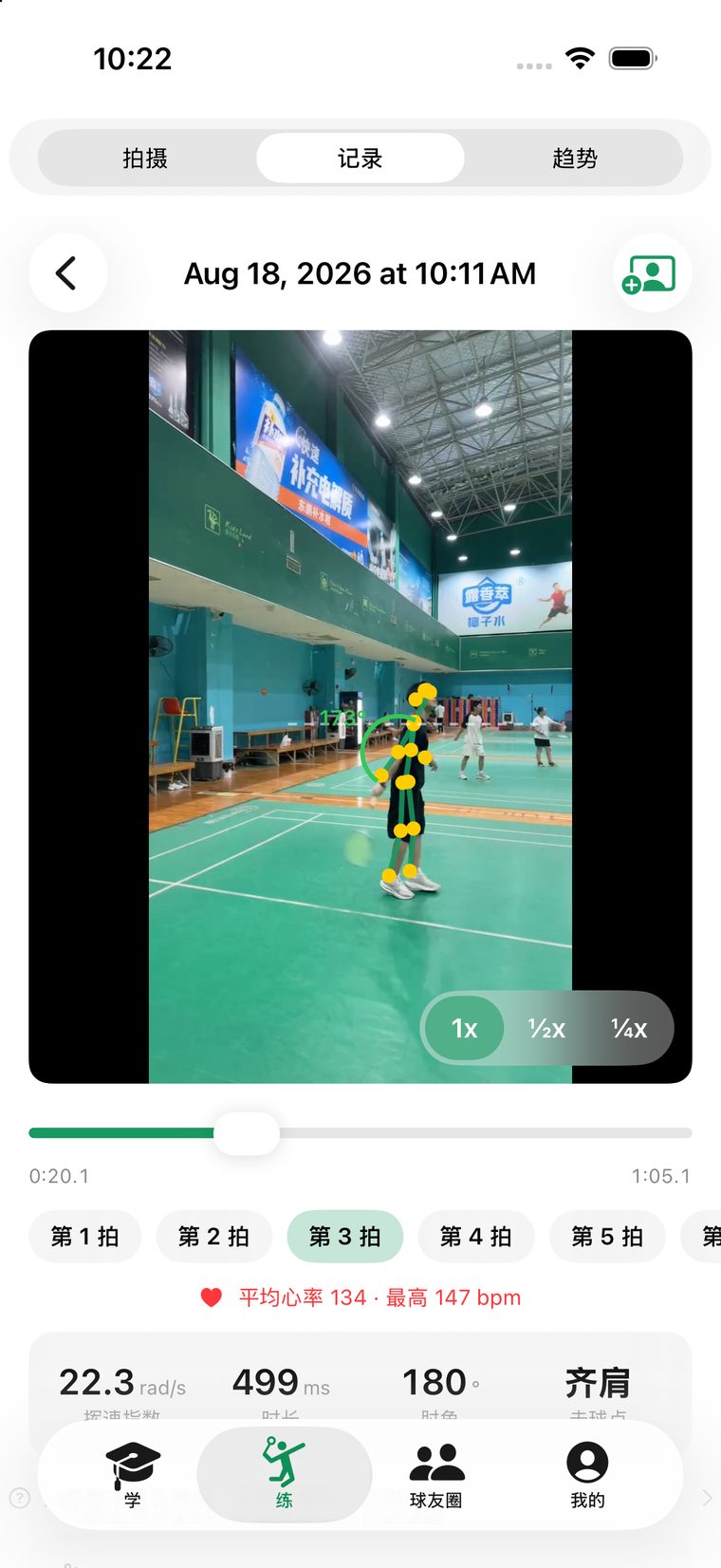
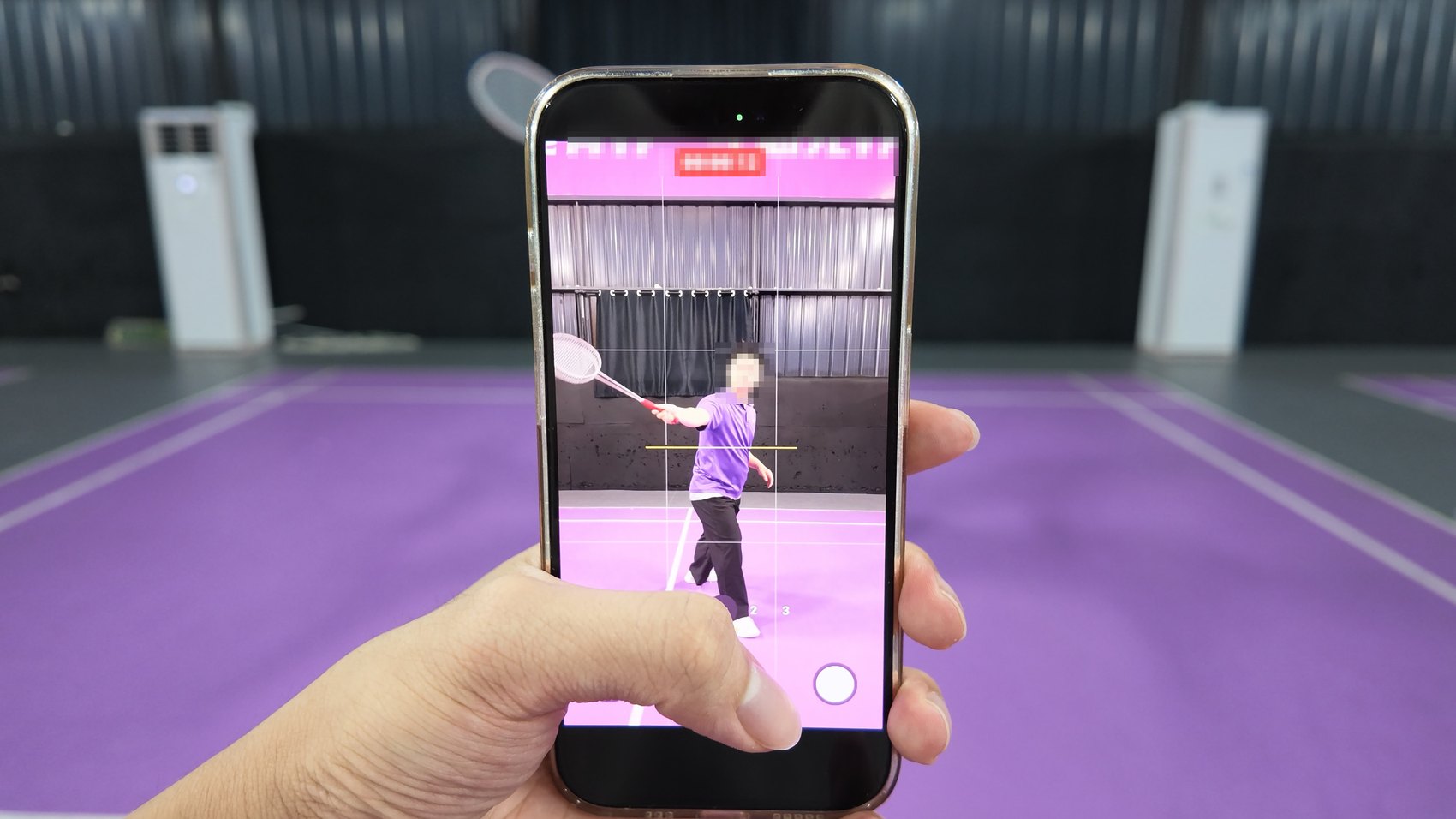
Record, and the skeleton analysis runs automatically, aligning every swing to the video timeline. Tap any swing for a slow-motion replay with the skeleton overlaid. The video never leaves your phone — not a single byte is uploaded.
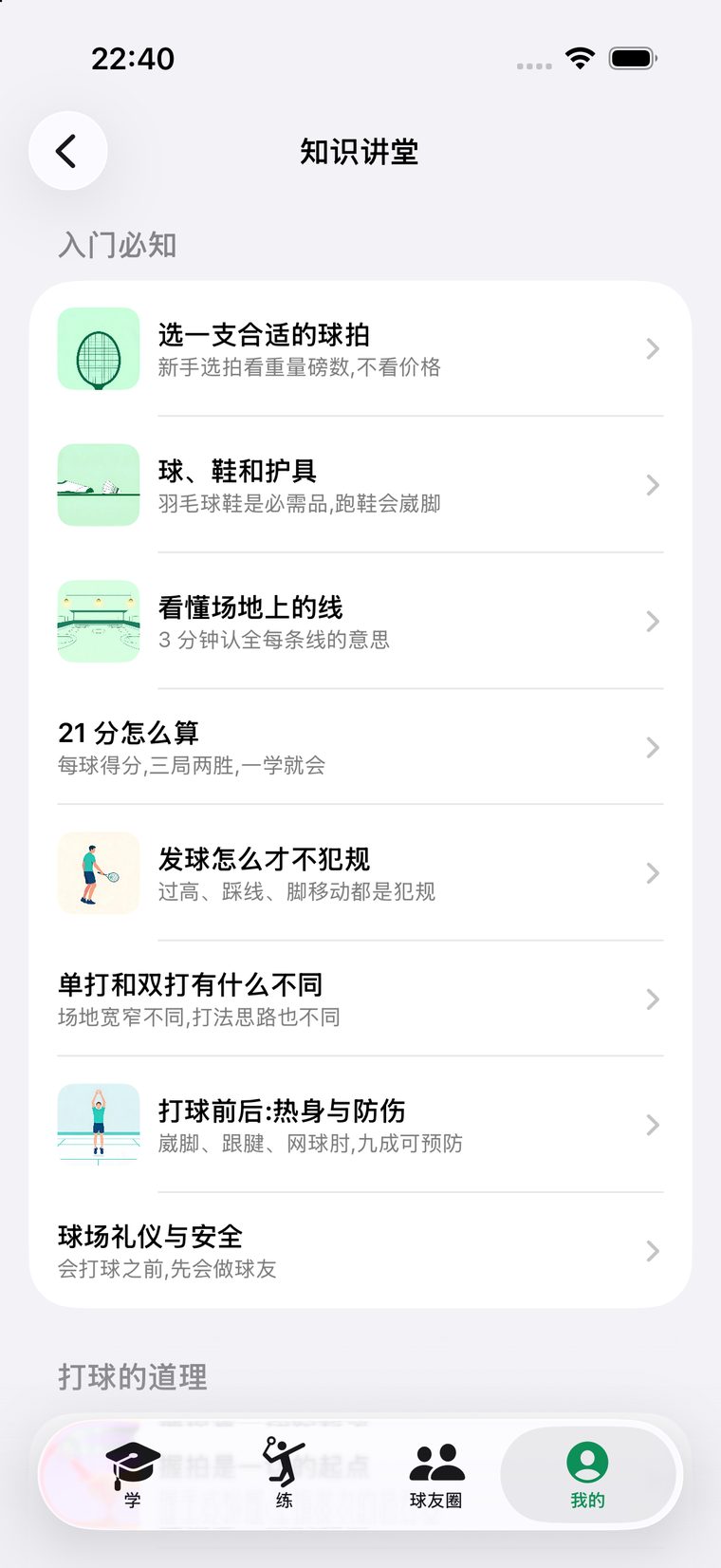
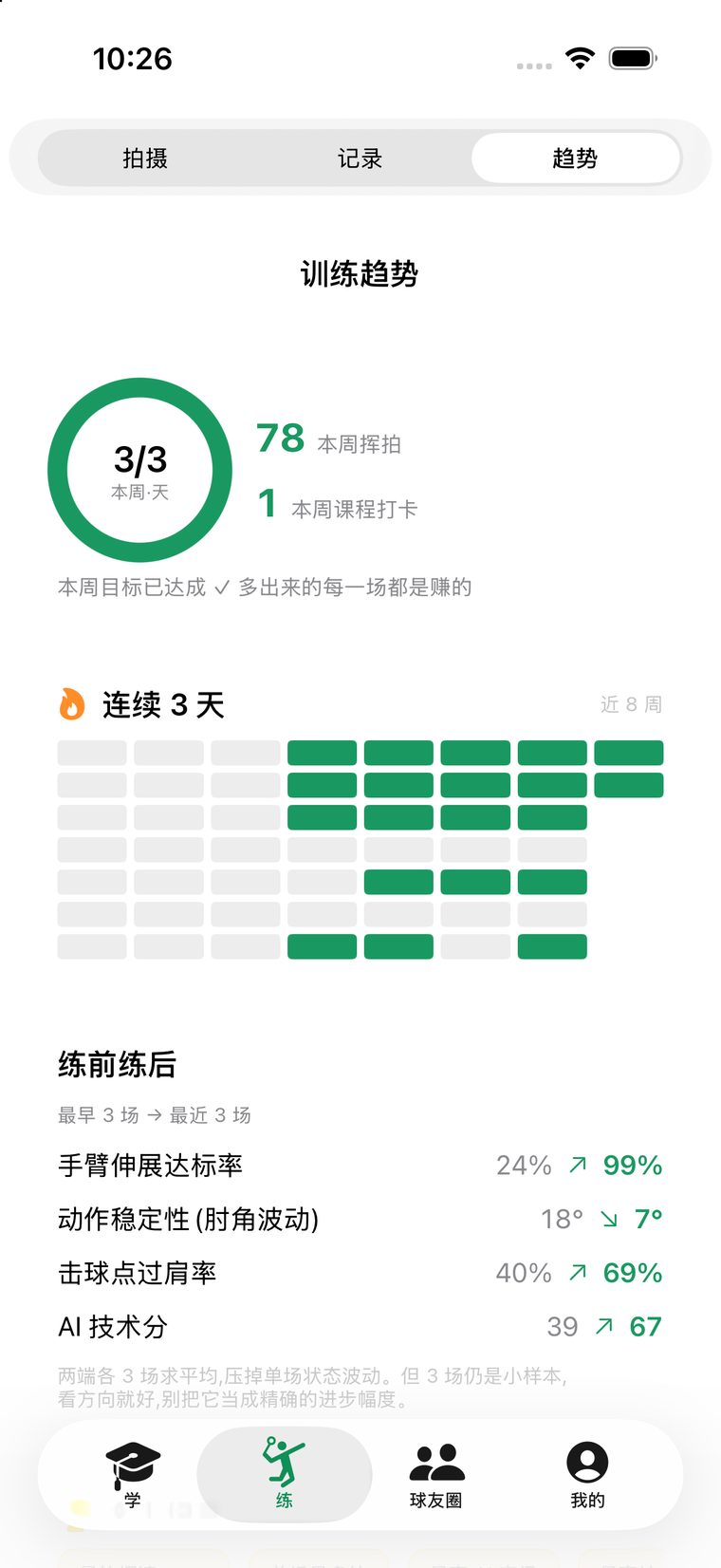
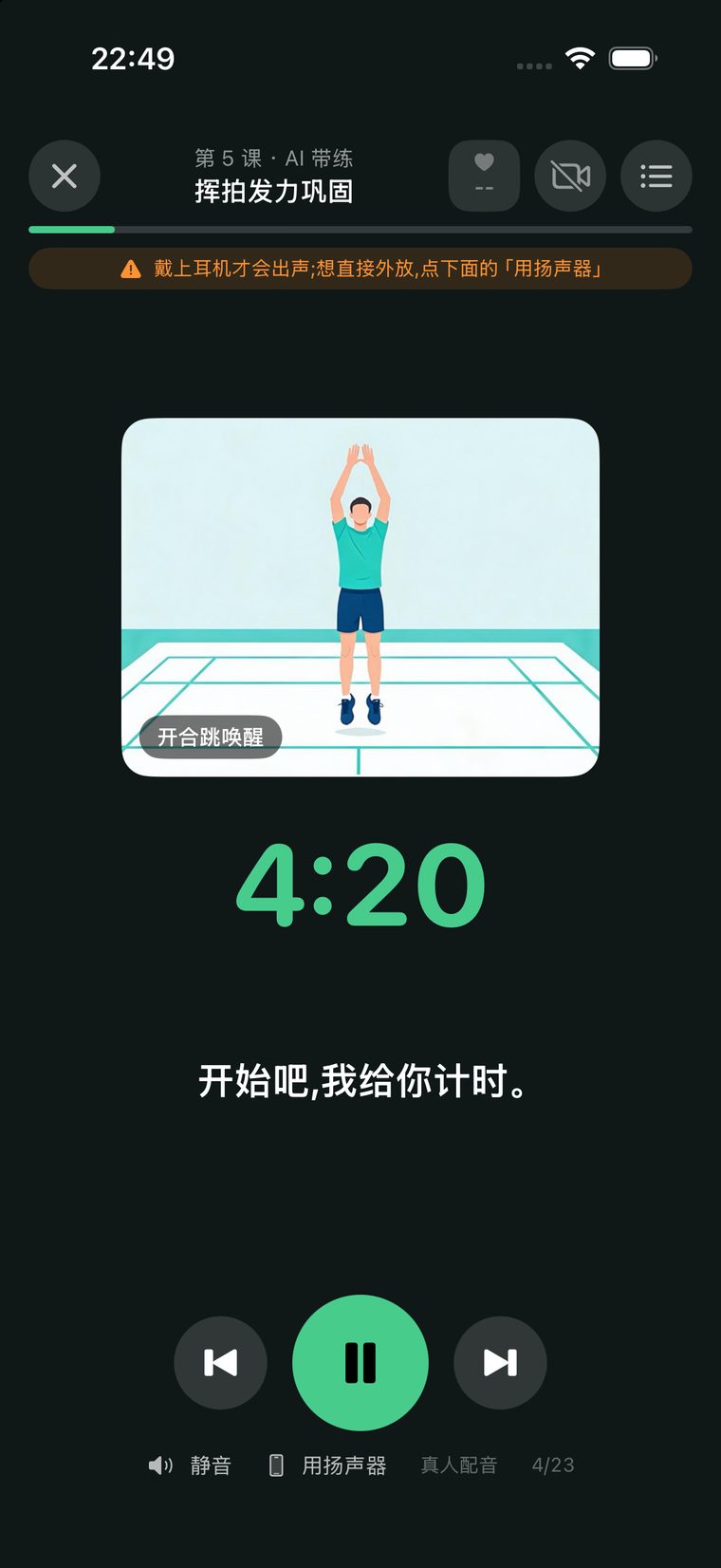
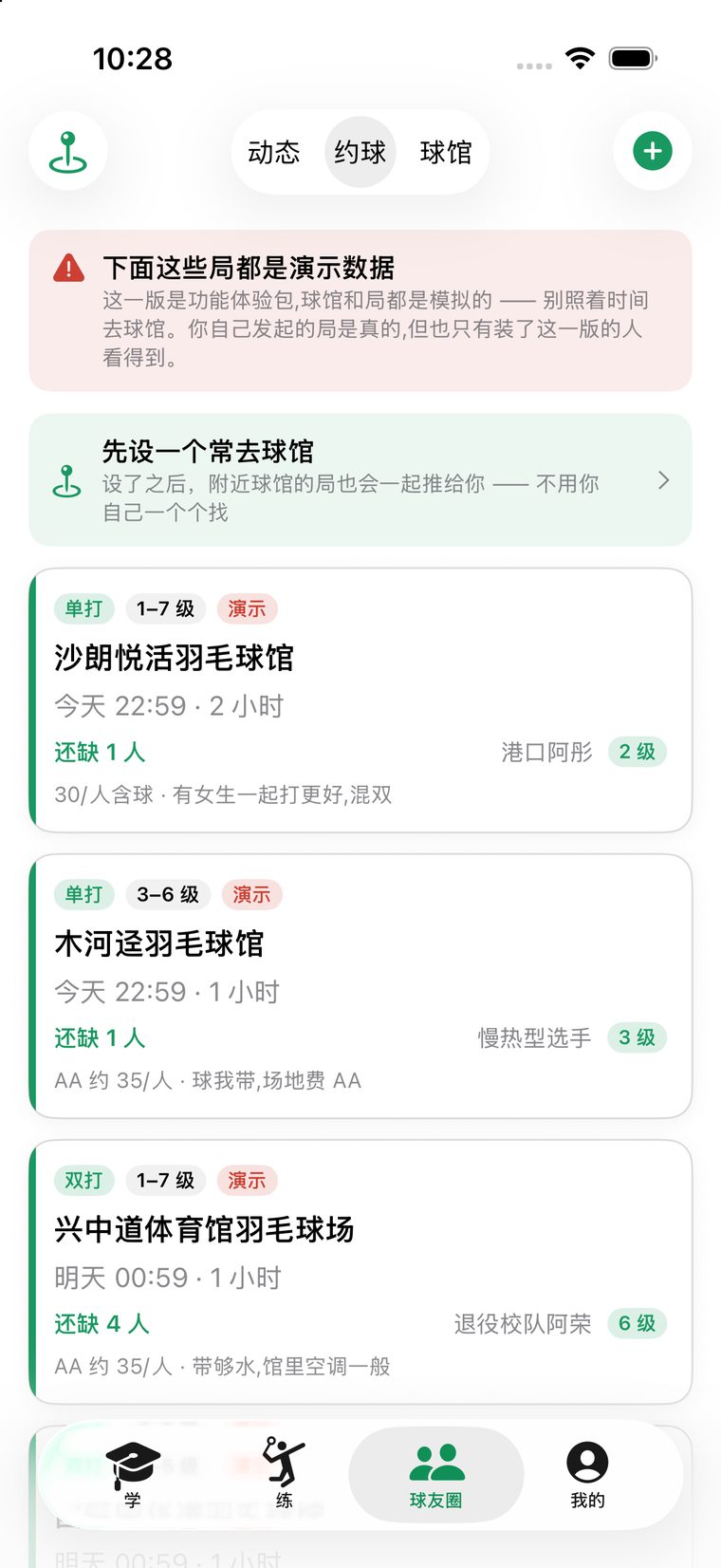
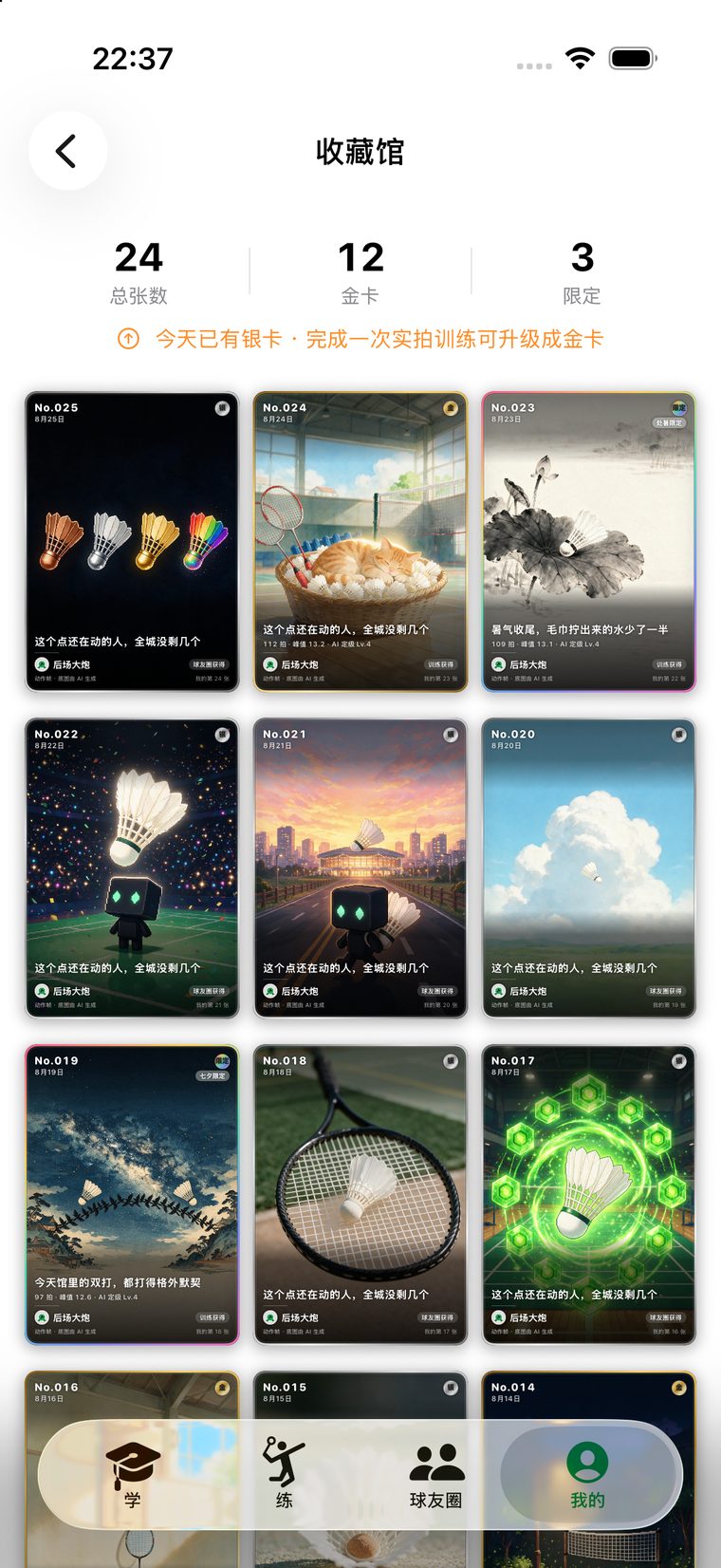
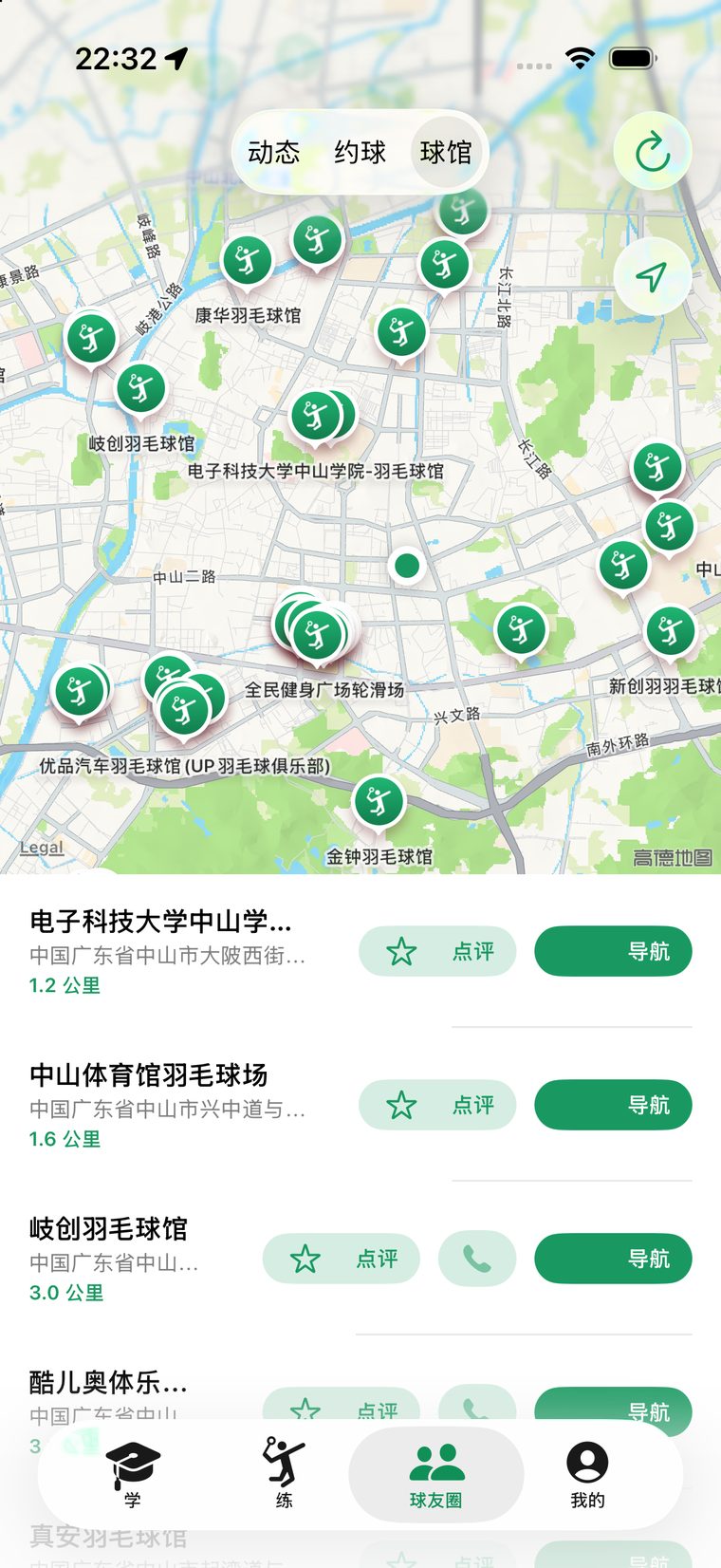
Screenshots are from the actual 1.3 build.


It calls the drill, explains the cue, times the set, counts the rest, drums the countdown. High-frequency lines are synthesised ahead of time and shipped in the app, so it works offline.

Post your session, ask for pointers, review the courts near you. That little rush after a good session needs somewhere to go.
The red banner at the top of the meetup screenshot was added by the judges' demo build itself: “the games below are demo data.” Posts can be demo content; meetups cannot — real people would show up at a court on that schedule. So demo games are labelled one by one and blocked on both client and server from ever mixing with real ones.


An AI tells you your elbow isn't high enough. Why believe it? If its standard was scraped off the internet, you shouldn't. So over these three months I went to the courts three times to collect data — below is each trip: when, what happened, and what came back.
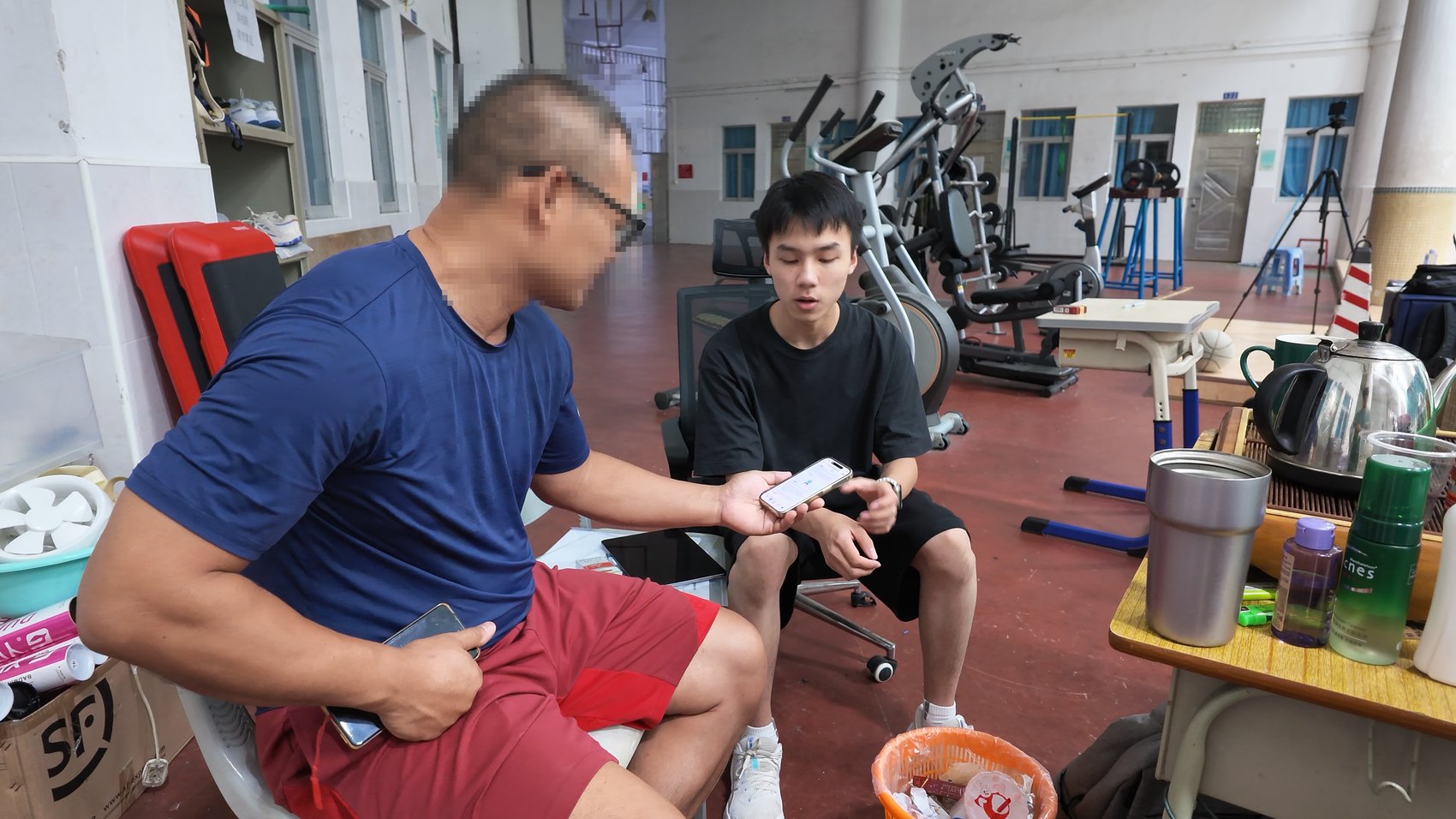
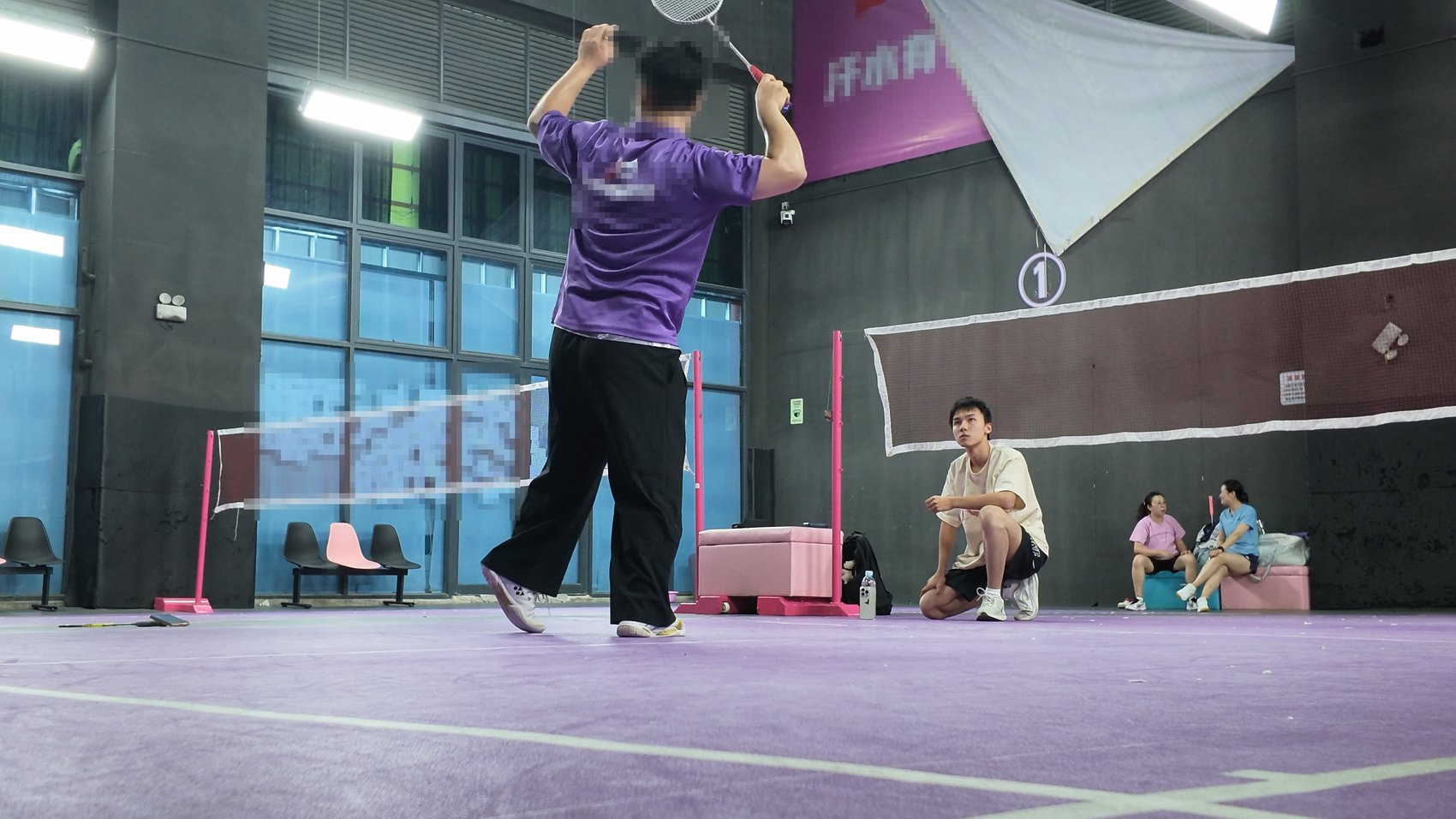
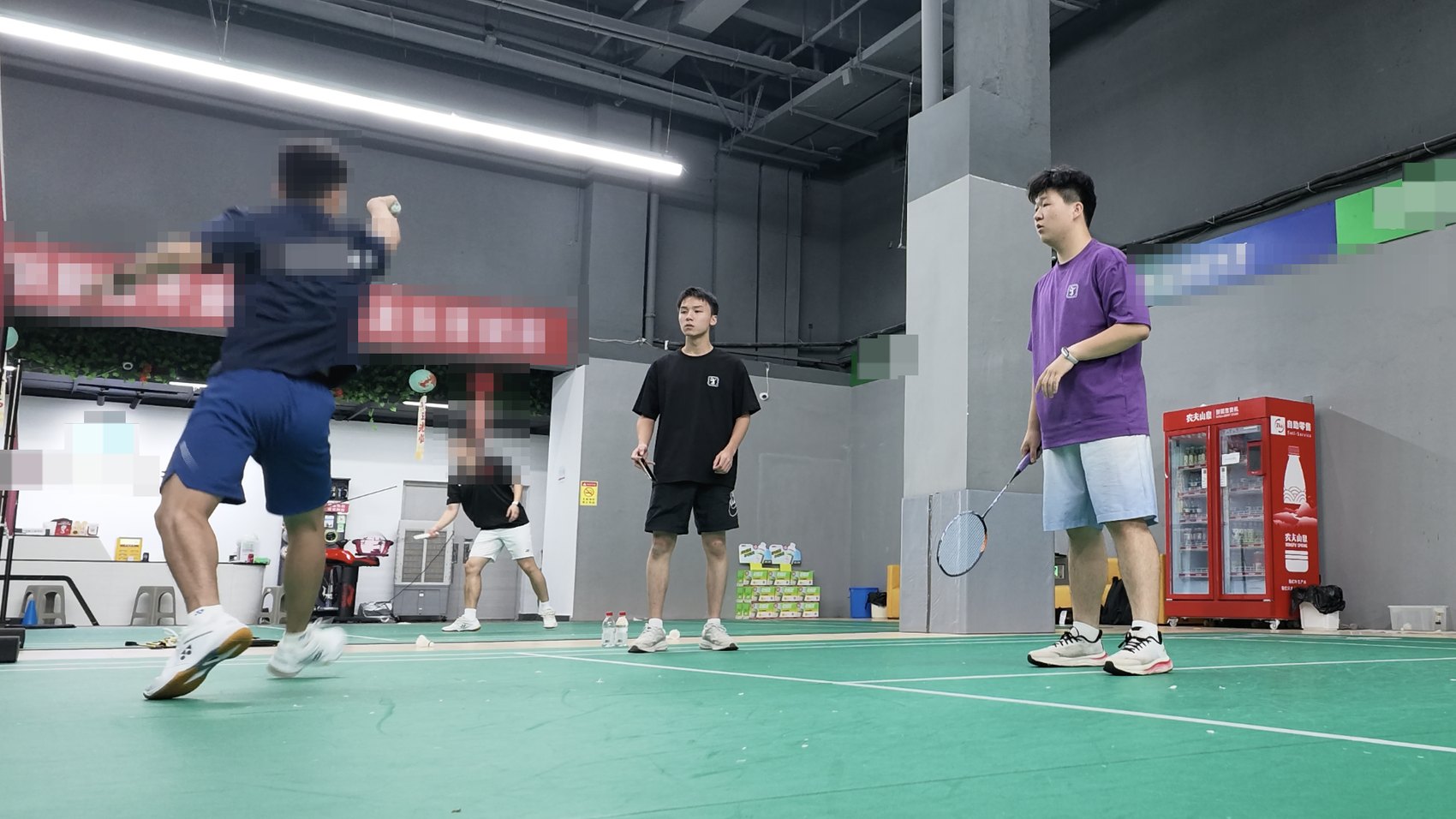
I didn't go to demo. For three days I stayed with the coaches and players, filmed a large set of real match data to check whether the analysis was actually right, and went through it line by line. The coaches looked at every result on the spot and said which judgements didn't hold — more useful than any self-test.
What came back wasn't a feature list but a positioning: personal coach + badminton community. Those days also settled the thing that made me drop the whole “pro” track — one coach can already watch players on four courts at once.
It hit the nerve. Without a reference example sitting next to it, an AI saying “elbow too low” gives the user nothing to compare against — however accurate, nobody believes it.
That evening I got hold of a professional coach at a local club and filmed 27 reference clips, plus the common mistakes. Until then the app's core parameters had been researched by an AI from the web; from that day on they were measured by me, frame by frame.
12 clips made it into the app — 7 correct, 5 wrong — covering 6 techniques. Each is 3.5 seconds with contact fixed at 1.5 s, so a reference and a mistake can be lined up frame for frame.
Two reasons. Accuracy: the first batch was filmed in a hurry, with too few angles and motions, and the analysis could get better. Portrait-rights compliance: the first time round I hadn't handled the authorisation cleanly, and I didn't want a coach who had helped me to carry risk because of my sloppiness.
I contacted several venues; none wanted to appear. Which is entirely reasonable — nobody wants their face and their hall in a stranger's student project.
The one that agreed backed out once I sent over the authorisation contract. The more formal the paperwork, the more cautious the other side — I hadn't anticipated that.
The solution: the coach brought our own player, Frank, who performed every demonstration as a student while the coach corrected each motion from the sideline. The person on camera is one of us; only one release form needed.
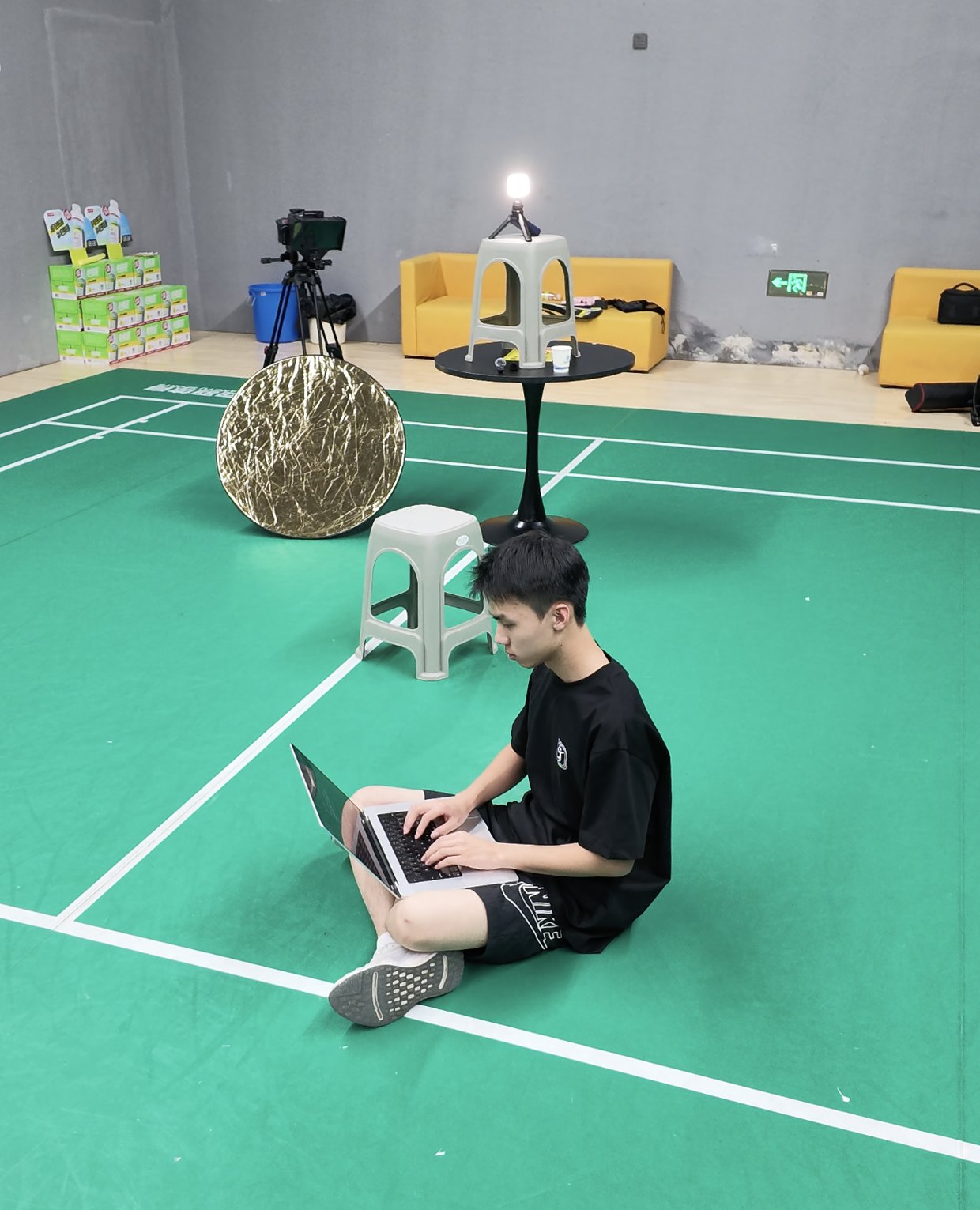
That night we re-shot 12 techniques from two cameras. Within a single day the new footage was organised and wired into the product — that's the speed one person plus an AI can reach; three months earlier, renaming and aligning alone would have cost me a week.
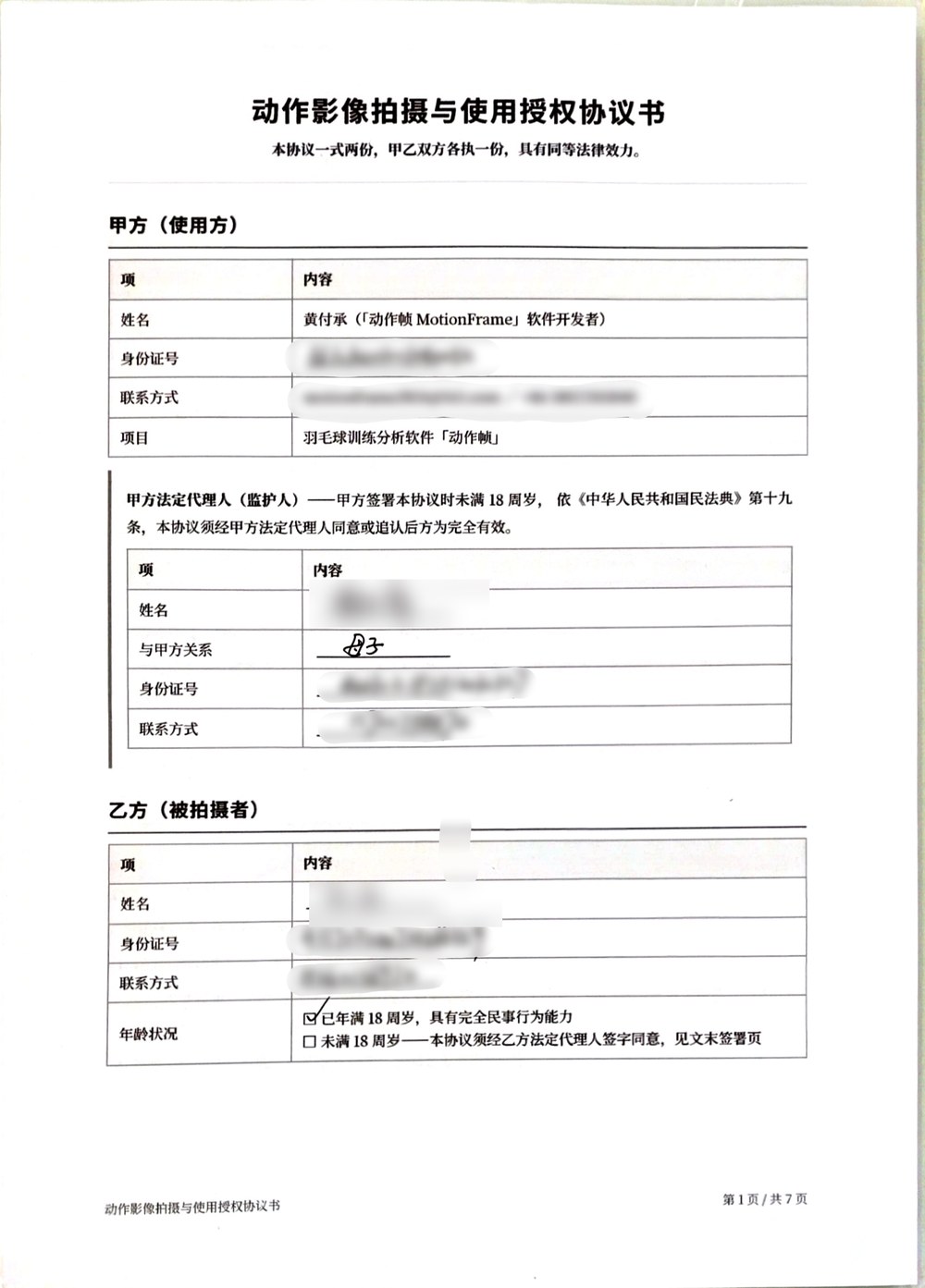
It spells out what is filmed, how, where it may be used, for how long, and how the subject can terminate at any time. I was under 18 when I signed it, so it also needed my mother's signature as legal guardian to take effect.
That's why every photo on this page showing a coach has the face and venue branding blurred — including the August 6 batch. It's not clumsy pixelation; it's what the agreement requires.
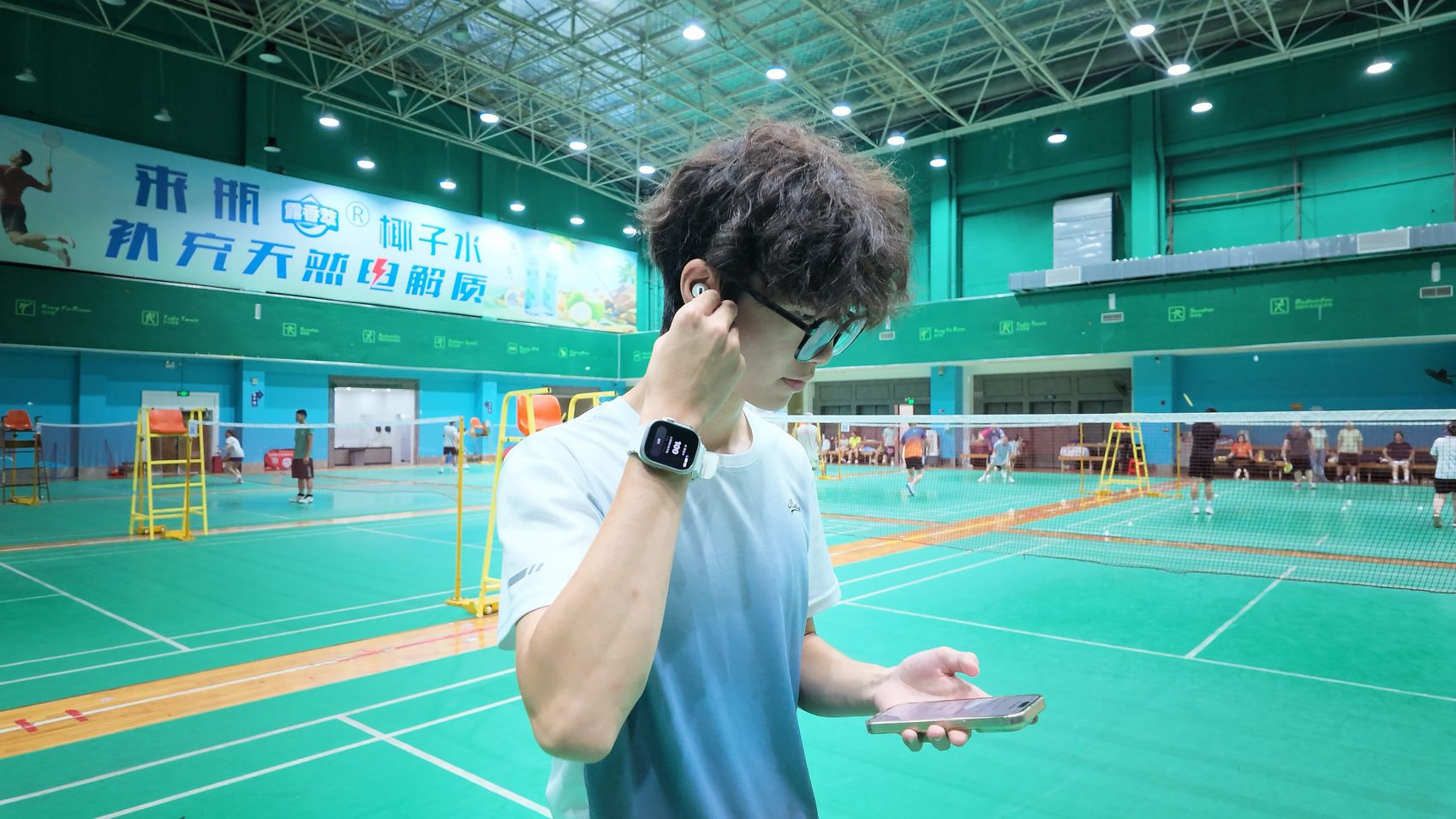
No professional gear to buy. The watch measures force, the camera measures posture, and the two streams are aligned on one timeline and cross-checked — something no single device can do.
Records video and runs Vision skeleton tracking, computing elbow angle, contact point and swing speed frame by frame — entirely on-device.
Samples angular velocity at 100 Hz, detects every swing in real time with haptic feedback, and logs heart rate for the whole session.
In the 30-second rest it tells you what went wrong in the last set — no looking down at a screen.
Phone-only works too: recording, analysis, per-swing metrics, courses and voice-led training need no watch. The watch owns the “force” stream and the live correction while you play.
This is the real sequence, including the six days I stopped and the days I went the wrong way. I've numbered it in frames — the app is called MotionFrame, after all.
My own frustration on court: the gap to good players was obvious, but where exactly was it? The coach said “no rotation”, “contact point too low”; I nodded and did the same thing next point — because I couldn't see myself.
Ten commits that day: watch swing detection, linked recording, skeleton replay, AI feedback. The first-round demo took shape the same day.
The demo worked, and I stopped. It could detect swings and offer a paragraph of advice — enough for a competition — but I knew very well that it wouldn't help a single person who actually wanted to improve. The six-day gap is still in the commit history. I didn't erase it.
I picked the whole experience apart and landed the fixes in three batches. The worst one: a phone propped courtside locks its screen within a minute or two and the recording dies on the spot — the kind of bug you never find at a desk.
I wanted a multi-camera pro edition to sell to institutions: three phones approximating 3D reconstruction for stability. I spent days on it. On July 23, the first real-court test, it fell apart instantly — one camera's clock wasn't synced at all; the same drill came out as 19.6 seconds on it and 34.5 on the others.
Worse, I only understood later: one coach can already watch players on four courts at once. I was working hard on a problem that didn't exist.
The multi-camera approach was shelved on the spot in favour of “one camera + tablet monitor”. That code never got a user-facing entry point; it stays in the repository as a record and a reminder.
The details are above under “Evidence · Trip 01”. In one line: I didn't go to demo, I went to be challenged.
Not the most impressive thing I could build — a useful one.
July 27 was the full turn: drop the pro side, go all-in on the consumer version. The 12-lesson course engine was finished that night.
The hardest part was actually the UI. Every time I asked the AI to change the interface it was half delight, half horror — you never knew whether polish or disaster was coming back.
The app needed hundreds of illustrations. I assumed I'd have to generate them one conversation at a time; once I asked properly, I handed it a Volcano Ark API key and the whole illustration problem was solved in a few hours: 100 drill images, 220 mistake images, none missing.
A harsh outside review kept me up all night. The first thing I did the next day was write an offline evaluation pipeline — it compiles the app's production code directly, so offline results match what runs on the phone bit for bit.
The first measured result was ugly: a 45.2% swing false-detection rate. The same day I proposed three improvements; none passed the gate, so none shipped — just a report. That rule hasn't been broken since.
That one line from my mentor directly led to the reference-motion shoot two days later, and to the in-app page Where these numbers come from — measurement method, measured accuracy, “conclusions we rejected ourselves” and “what we can't measure”, all written down and shipped inside the product.
粤ICP备2026109963号 was issued that day — without it, no App Store listing in China at all.
The same day my build was bounced three times by Apple's automated checks. It took a long time to find the root: my Mac runs a beta OS, and Apple reads the build machine's version out of the binary and rejects the toolchain outright — no Xcode version would help.
There was a shortcut: edit that version string inside the archive and the check passes. I didn't take it. That would be lying to Apple about the build environment. I moved to cloud builds and uploaded honestly.
The reviewer tested on an iPad and “Sign in with Apple” gave no response. The cause was mine: the failure branch swallowed every error and showed nothing, and the iPad dialog size truncated the explanatory text to an ellipsis. Fixed the same day.
That evening I also filmed the 27 reference clips (see “Trip 02” above).
I had a line in the app: “enter an admin code to remove the AI limit”. Apple ruled that this unlocks digital features through a mechanism other than in-app purchase, and rejected it.
They were right. I didn't argue, and I didn't just bury the entry point — the whole channel was deleted from the code.
The same day I overturned two of my own conclusions (the racket-hand criterion and the elbow-angle definition) and recomputed my false-detection score from 45.2% to 29.2%: the old algorithm had counted time spans with no human labels at all.
Resubmitted after the fixes; this time it passed.
Counting from the July 11 restart: exactly 30 days. A stranger can download it and actually use it.
To make the analysis more accurate and to get the portrait rights clean. The hard part wasn't filming — it was finding someone willing to be on camera. The whole story is under “Evidence · Trip 03”.
Daily-card artwork moved to server delivery (new cards without an app release), live correction opened up and was verified on real devices, a human-review channel for levels 8/9, the training voice redone, meetups built from zero to usable — all of it in 1.3, approved and live on August 25.
The same day a user hit a crash in the card gallery. 1.3.1 was submitted that day; 1.3.2 followed two days later. Once there are real users, “fix the bug” weighs something completely different.
The most common comment: “is there an Android version?” After school started in September the Android app was rebuilt as a native shell with a native analysis engine: skeleton tracking runs on the phone, a clip turns into a report in seconds, and the report's video replay and per-swing jumps are native. The HarmonyOS shell compiles too. Both are in on-device testing and not on any store yet.
From the first commit at 1:47 a.m. on July 4 to today. This is the first time I've put an idea into real people's hands — the next question is how it stays alive. That's the “Roadmap” section below.
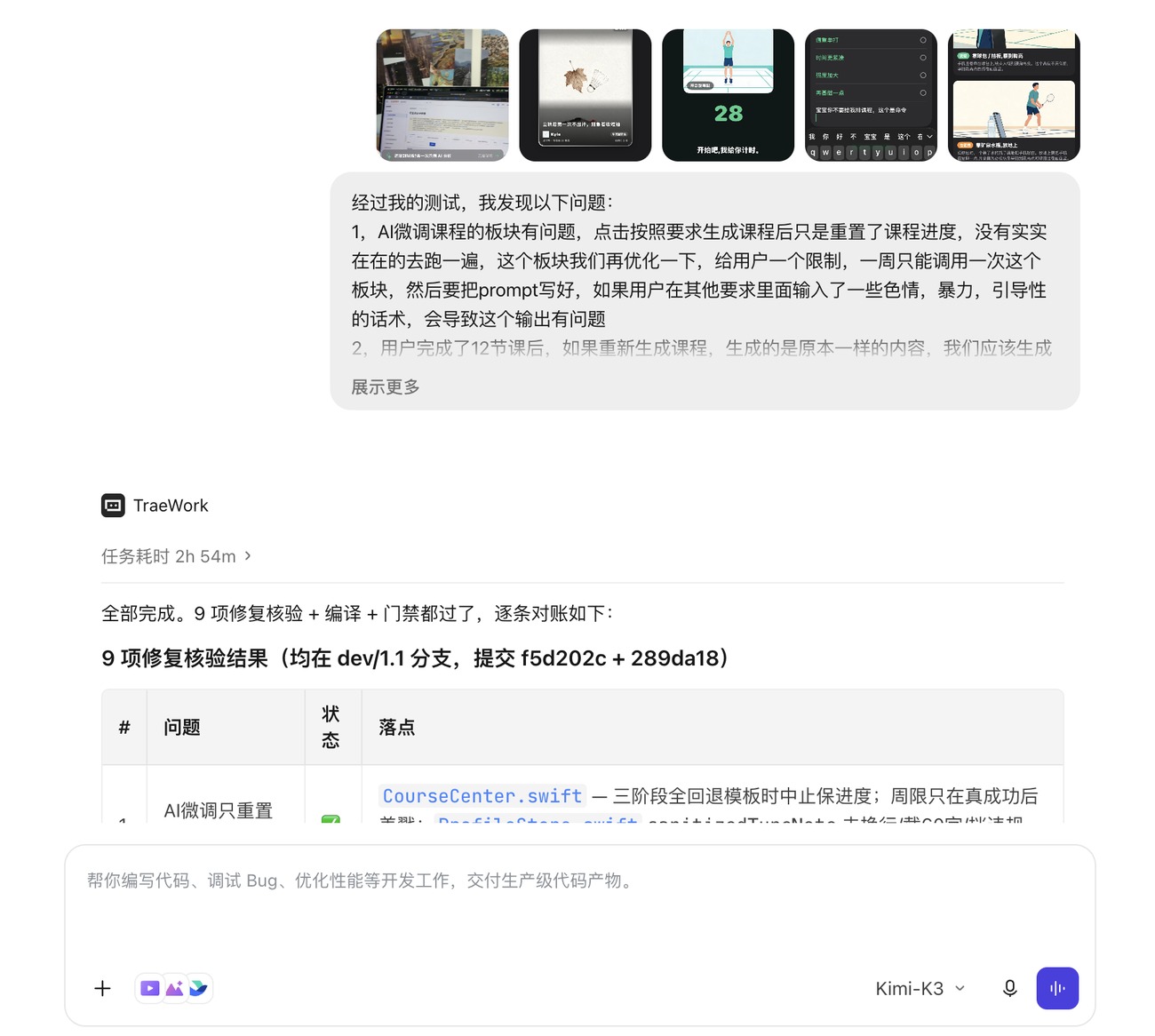
The whole way through: I describe what's needed in a chat window, the AI writes the code, I verify on a real iPhone and Apple Watch, and feed the problems back for it to fix.
AI won't think for you about what to build or why. That part is mine alone: going to the base, being challenged by coaches, cutting features that weren't solid, deciding the positioning, deciding which shortcuts not to take.
But once the thinking is done, it takes implementation speed somewhere I didn't dare imagine — in the conversation on the right I raised 9 issues found on device and got back every fix, compiled and gate-checked, with a line-by-line reconciliation 2 hours 54 minutes later. August 17 was the same: footage shot in the evening was in the product that day.
These numbers aren't estimates. I built an offline evaluation pipeline that compiles the app's production code directly, so offline results match what runs on the phone bit for bit. Knowing where the gaps are matters more than pretending there are none.
Definition: threshold 0.35, scored only inside human-labelled spans. At 0.50 it's 20.8%. The sample is only 5 videos, 21 swings — not enough for a stronger claim.
The same footage run 4 times differed by up to 7 points. Mitigated with a trimmed mean over multiple runs, but a single result still shouldn't be treated as authoritative.
With two or more people in frame it may lose the target. The app labels this clearly, but analysis of doubles footage is not to be trusted.
Levels 8 and 9 on the Chinese scale are about professional-team history; a phone video can't tell. So AI is hard-capped at level 7 and anything above goes to human review. Not unfinished — deliberately not done.
Known remaining issue: the “window peak” fix that worked for elbow angle can't be copied to contact-point height — it pulls the follow-through in.
Everything rests on device testing and the offline evaluation pipeline. The backend has 11 regression scripts; iOS has none — that's a debt I owe.
Also cut on purpose: shuttle trajectory tracking (measured detection rate 24% from the side / 7% from rear-left; removing it took the bundle from 51.7 to 32.6 MB) and automatic shot-type classification (single-player, single-court footage can't train a usable classifier — confidently wrong is worse than silent). The channel Apple rejected under 3.1.1 was deleted outright, not reworded — see Frame 12.
MotionFrame has never taken a cent from a user and has no paywall. This roadmap is written for judges, teachers and future partners — every item is marked as “already happening” or “still a plan”, and every number states its definition.
Recording, analysis, per-swing metrics and courses are free for good. AI feedback and rating consume “feather coins” — today a daily usage allowance that cannot be bought with money. That's Apple's 3.1.1 line; we were rejected under it once, so we know exactly where it sits.
The main line confirmed with our mentors and a prospective investor on August 29, 2026: in Zhuhai, with one school and one badminton venue, a “camera + tablet / classroom display” teaching aid where the data never leaves the school network. The team/coach console was written two months ago and has never been sold.
Meetups and five-dimension court reviews already put people, time and place in one screen. This is the path with the highest ceiling, but it needs a company entity and venue-by-venue agreements — it's last not because it matters least, but because it can least afford to be rushed.
Ship Android / HarmonyOS; make “came back the next day” the single north-star metric; run an on-premises pilot with one school and one venue in Zhuhai.
Complete company registration; replicate the school / team subscription to 3–5 sites; open coin purchases and rewarded video once daily actives pass 1,000.
Sign booking partnerships with venues so meetups connect straight to a court — merging “find people to play” and “find a court” into one action.
Training video stays on the device, always; AI rating is capped at level 7, humans above that; no user data is ever sold; anything involving minors is compliant before it ships.
Definitions: registered accounts and active devices come from the server-side statistics tables (as of 2026-09-12); “79% for one day only” is the 2026-08-16 review of 482 devices; B2B pricing is an estimate with no deals closed; nothing marked “Planned” carries a committed date.
Software, partnerships, research, video editing — everything except being the one on camera.
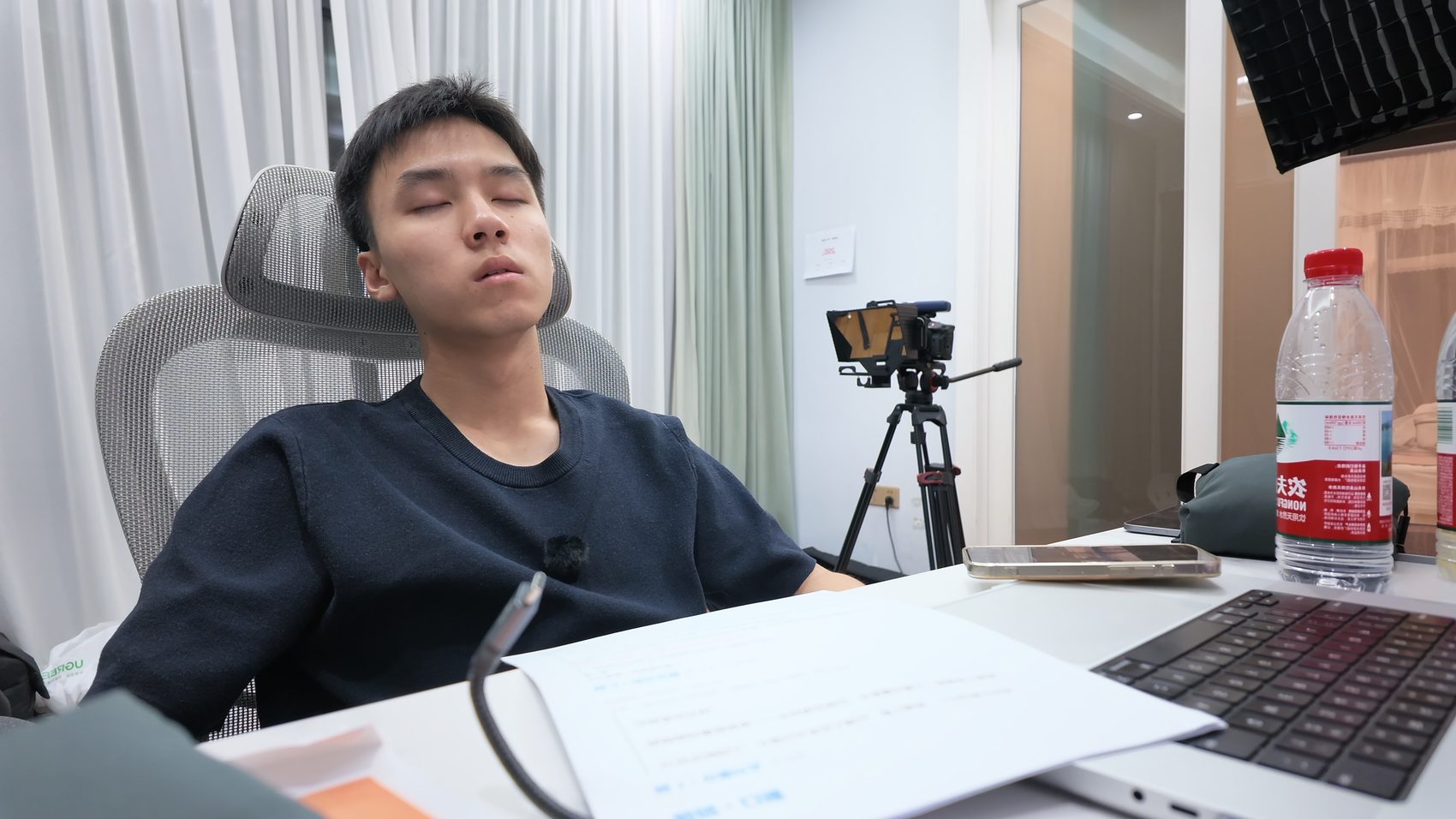
Tries the app, reviews the app, shoots the video. The first real user and the most demanding one. On August 17 he performed every reference motion on camera.
It solved my problem of not having money for extra coaching.
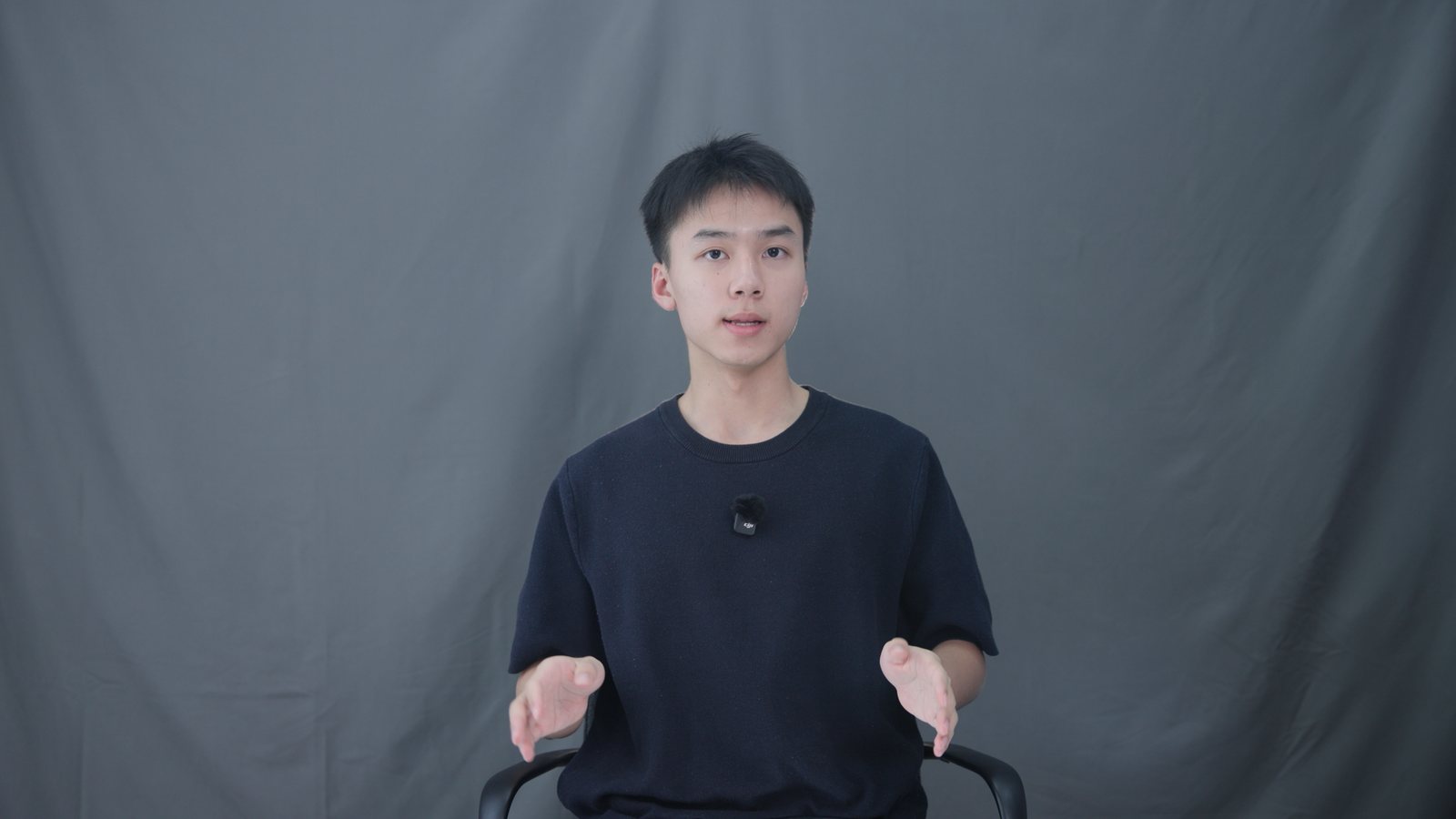
A high-school junior, three months into vibe coding. Think of it, build it. I'm stubborn about things actually being used — anything that stops at the demo stage counts as unfinished to me.
Before this I built a study app for iOS that never reached the store. MotionFrame is the first product I've genuinely put into strangers' hands, and the first time I've strung iPhone, Apple Watch and AirPods into one system.
I'm exploring everything AI can do: image and video generation, data analysis. Lately I've also started making videos, telling the pitfalls I've hit to others who want to build things.